
How much effort goes into creating a simple video? You have to set up lights, fix your hair, memorize a script, and then do ten takes because you keep stumbling over your words. It’s exhausting.
Synthesia basically skips all of that.
What is Synthesia?
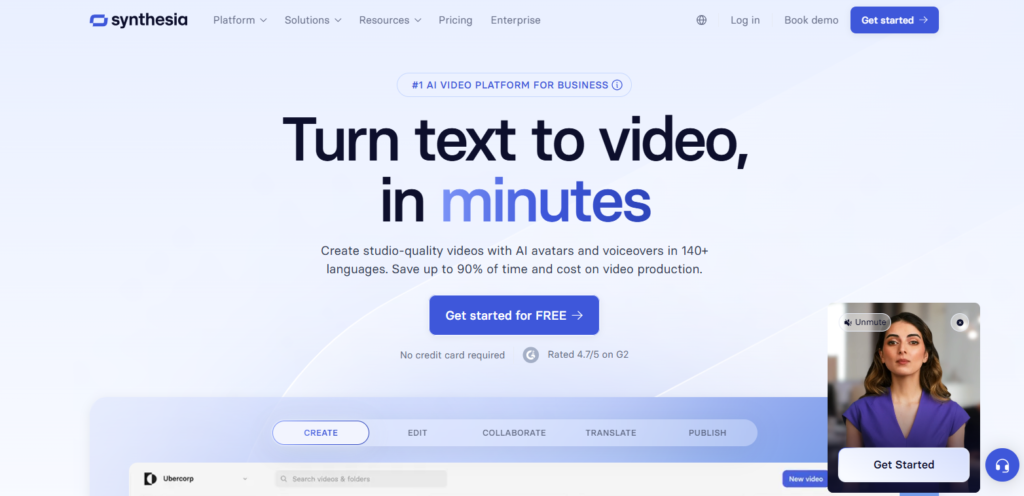
You can think of it as a “text to video” magic trick. You type a script, pick a digital character (called an avatar), and within minutes, that character delivers your lines perfectly. It’s awesome for people who need to make training videos or company updates but absolutely dread being on camera.
If you can write an email, you can make a video with this tool. It’s really that simple.
How to Use Synthesia?
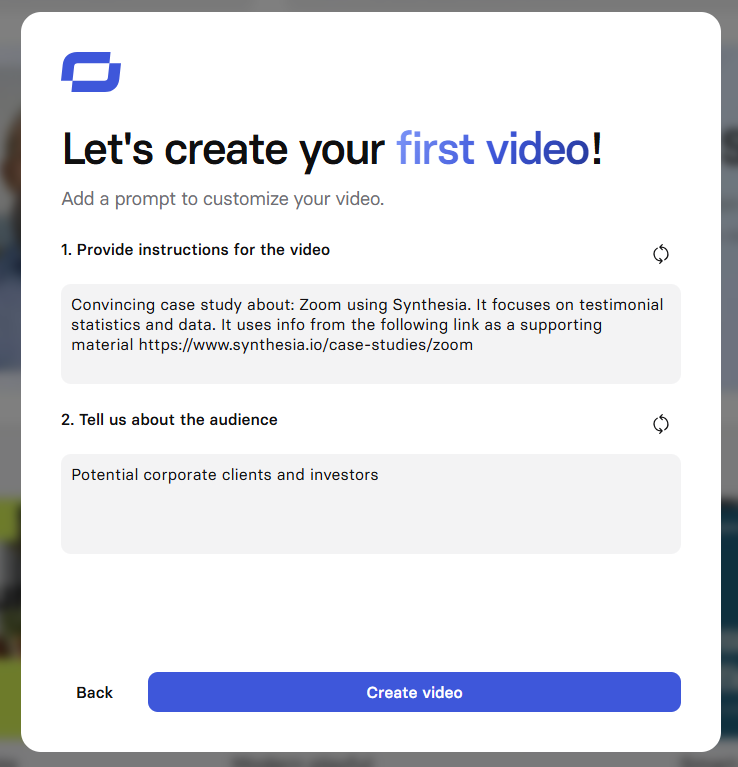
I was honestly surprised by how easy this was. The interface looks a lot like PowerPoint. If you’ve ever made a slide deck, you already know how to use this.
Here is the quick rundown:
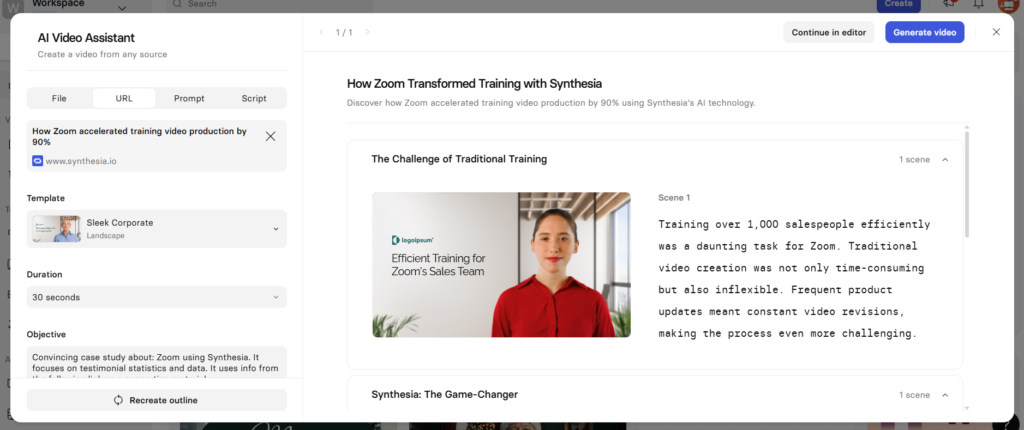
- Pick your “Actor”: When you open a new project, you’ll see a gallery of faces. These are the avatars. Just click on one that fits the vibe you want, maybe a suit for a business report, or a casual t-shirt for a team shoutout.
- Type your script: There is a box at the bottom of the screen. Just type what you want them to say. You don’t need to record your voice; the AI does the talking.
- Dress it up: Just like a slide, you can add text on the screen, change the background color, or upload your company logo.
- Hit Generate: Click the blue button, wait a few minutes (go grab a coffee), and when you come back, your video is done.
Key Features of Synthesia
There are a million features, but here are the ones you’ll actually care about:
- It Speaks Your Language: This is probably the coolest part. You can type in English, and with one click, have the avatar speak in Spanish, French, German, or Japanese. It’s a huge time-saver if you have customers or employees in other countries.
- The “Expressive” Avatars: In the past, AI avatars looked a bit dead behind the eyes. Synthesia’s new “expressive” avatars can actually nod, smile, and raise their eyebrows. It makes a big difference in how natural they feel.
- Screen Recording: You can record your computer screen to show a tutorial, and put the little avatar head in the corner to talk people through it. It’s way more engaging than just a boring screen capture.
- The AI Assistant: Writer’s block is real. If you don’t know what to write, you can just tell the AI, “Write me a script about fire safety,” and it will draft the whole thing for you.
Pricing
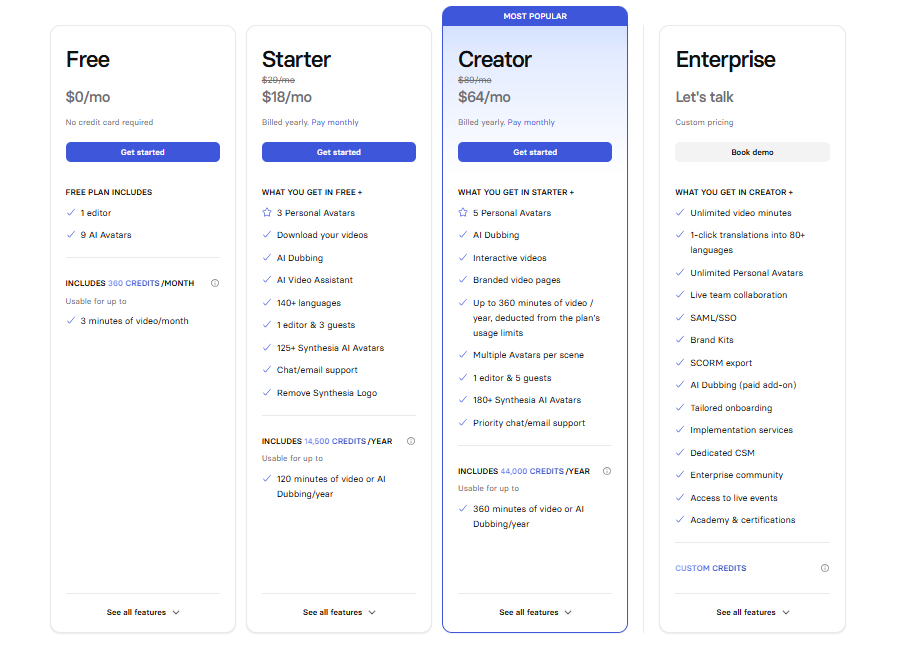
They recently changed their pricing, and it’s pretty straightforward. Here is how it breaks down:
| Plan Name | Price | Key Features | Who is this for? |
| Starter | $22/mo (billed yearly) | • 120 minutes of video/year• 1 editor seat• Standard avatars | Freelancers or solopreneurs who just need a few videos a month. |
| Creator | $67/mo (billed yearly) | • 360 minutes of video/year• Custom fonts & audio• More workspace features | Small teams or creators making weekly content. |
| Enterprise | Custom Quote | • Unlimited storage• 1-click translation• Custom branded avatars | Big companies needing tons of training videos. |
Pros and Cons of Synthesia
I want to be totally real with you here. It’s a great tool, but it’s not perfect.
Pros:
- It saves so much time: No filming, no editing audio, no reshoots.
- No gear needed: You don’t need to buy a $500 microphone or a fancy camera.
- Easy updates: If your pricing changes next month, you don’t have to re-film the video. You just open the project, change the text, and hit generate again.
Cons:
- The “Robot” Factor: Even though they are good, you can still tell it’s AI. They don’t have that spark of a real human connection.
- It costs credits: On the cheaper plans, you have to watch your minutes. If you make a mistake and re-generate a video, it uses up your time allowance.
- Lack of emotion: If you need a video that makes people cry or laugh out loud, this isn’t it. It’s better for information, not storytelling.
Alternatives to Synthesia
If you try it and don’t love it, here are a few others I’ve looked at:
- HeyGen: These guys are Synthesia’s biggest rival. Their lip-syncing is honestly a little bit better, and they have a cool feature where you can clone your own voice and translate it.
- Kreado AI: This one is built specifically for corporate learning (L&D). It lets you have two avatars talking to each other in the same scene, which is great for roleplay scenarios.
- Elai.io: If you have a blog post and just want to turn it into a video instantly, Elai is great at that. You paste the link, and it builds the video for you.
Final Words
So, should you get Synthesia?
If you are a filmmaker wanting to make a movie, definitely not. Stick to real cameras.
But if you are a business owner, an HR manager, or a marketer who just needs to get clear, professional information out there without spending weeks on production. Synthesia is a no-brainer.
It solves the “I hate being on camera” problem instantly. My advice? Sign up for the starter plan, make one video, and see if your team even notices it’s an AI. You might be surprised.

