
You know that sinking feeling when you have to write a literature review? You have 50 tabs open, three different cups of coffee on your desk, and you’re desperately trying to find one specific statistic buried in a 30-page PDF.
That is exactly the nightmare Elicit AI fixes.
1. What is Elicit AI?
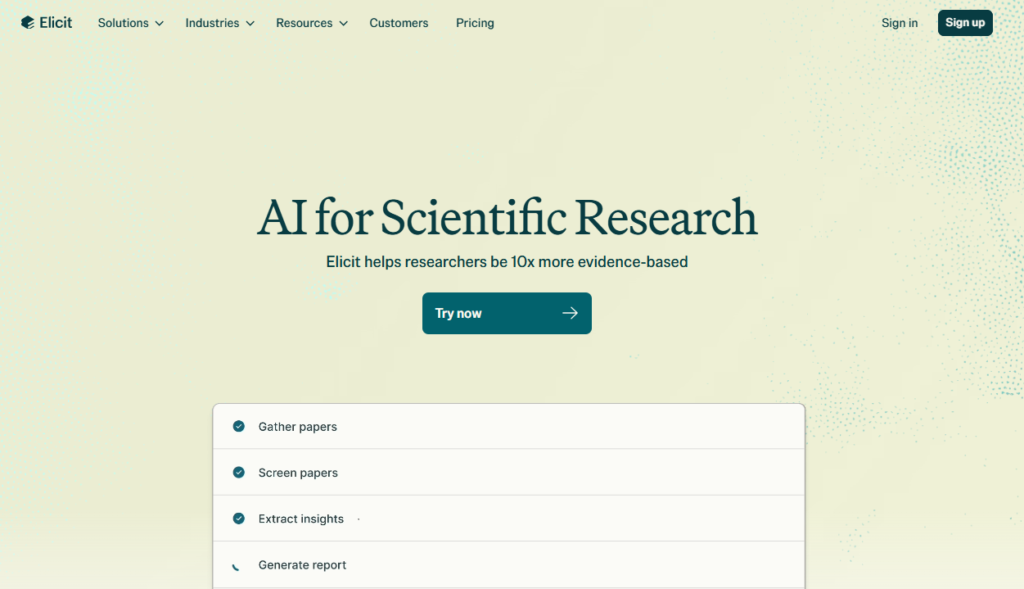
Imagine you have a research assistant who has read every academic paper out there. That is basically Elicit AI.
It’s an AI tool built specifically for students and scientists who are tired of manual research. Instead of spending hours scrolling through Google Scholar, you just ask a question. Elicit then digs through millions of real papers to find your answers.
What makes it special is how it shows you the data. It creates a simple table that summarizes the main points of different studies side-by-side. You can see the findings, the methods, and the results without opening 50 different PDFs. It’s fast, it’s accurate, and it links everything to real sources so you know you aren’t getting “fake news.”
2. How to Use Elicit AI?
If you can use Google, you can use this. It’s not complicated. Here is how you’d actually use it in a real workflow:
Step 1: Just Ask a Question
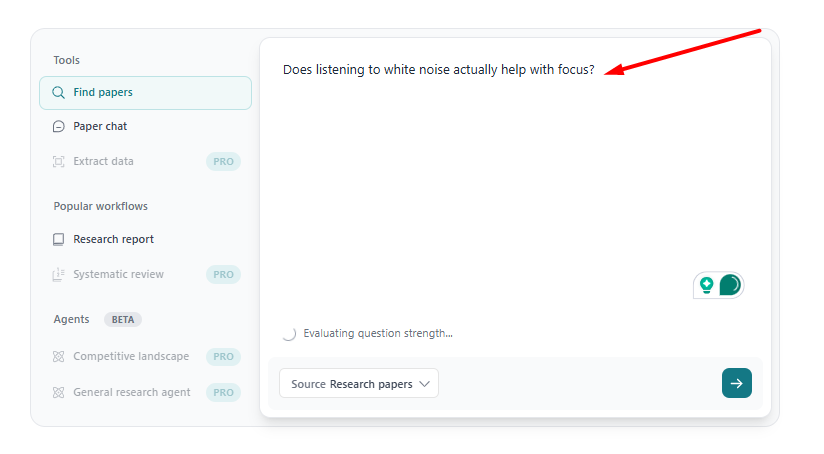
Don’t worry about finding the perfect keyword. Just talk to it. Type something like, “Does listening to white noise actually help with focus?”
Step 2: Look at the “Magic Table”
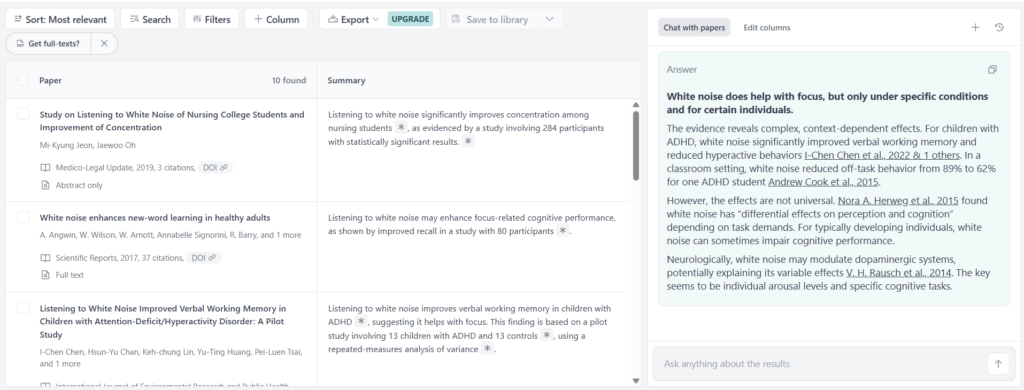
This is the cool part. Elicit doesn’t just toss links at you. It builds a spreadsheet instantly. On the left, you see the paper titles. On the right, you see a one sentence summary of the answer found in that specific paper. You can scan ten papers in about 30 seconds.
Step 3: Ask for Details
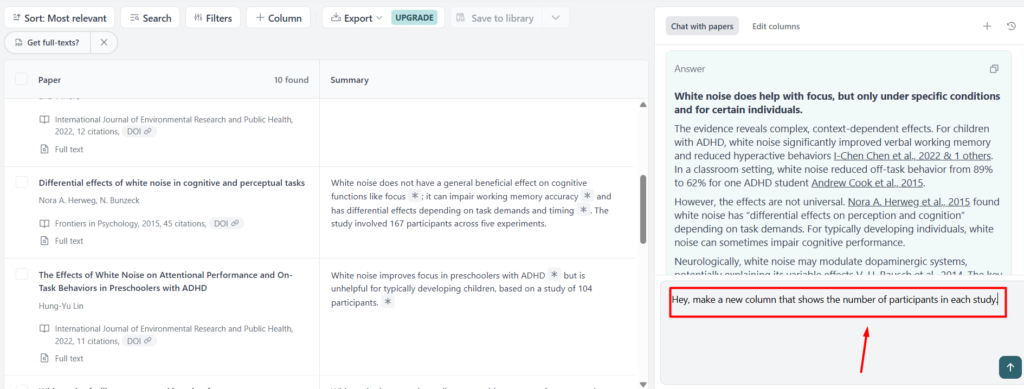
Let’s say you only care about studies done on students. You can literally tell Elicit, “Hey, make a new column that shows the number of participants in each study.” Boom, it scans the papers and fills in that column.
Step 4: Save What Matters
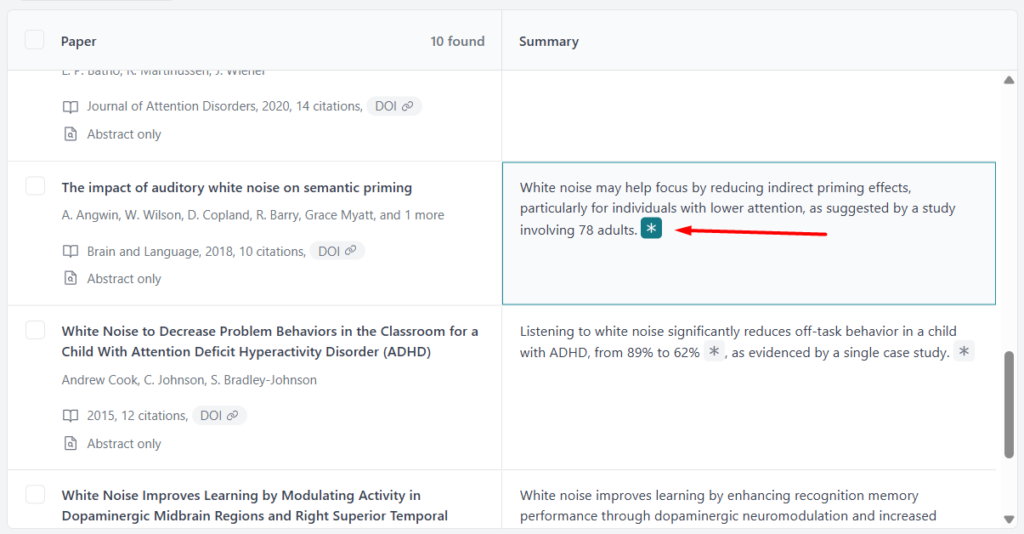
Found a good paper? Click the star icon to save it. If you’re on the paid plan, you can download all that data into a spreadsheet and look like a genius at your next meeting.
3. Key Features of Elicit AI
Okay, so what makes this better than just Googling things? Here are the features that actually matter when you’re working.
- It Gets What You Mean: You don’t have to guess the exact scientific term. If you search for “heart attack,” it’s smart enough to look for papers that say “myocardial infarction” too. It understands the concept, not just the word.
- The Summary Table: I can’t stress this enough, this is the best feature. Being able to see the results of 10 papers side-by-side without opening a single PDF is a total game-changer.
- Trustworthy Citations: This is huge. If Elicit tells you a fact, it puts a tiny number next to it. Click that number, and it jumps you to the exact sentence in the actual paper where it found that info. No fake news here.
- It Admits Defeat: If it can’t find the answer in a paper, it usually just leaves the cell blank or says “not mentioned.” It doesn’t try to BS you.
4. Pricing
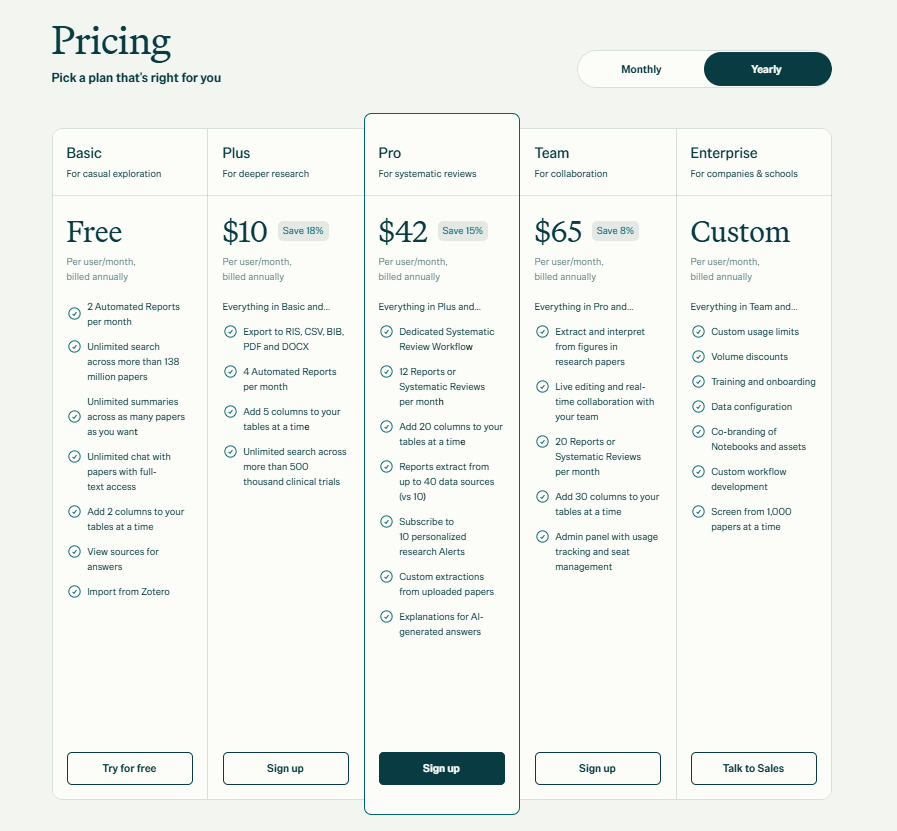
Is it free? Yes, and the free version is surprisingly generous. But if you’re a power user, you’ll have to pay up.
| Plan Name | Price (Yearly) | The Lowdown | Best For |
| Basic | Free | You can search as much as you want and get unlimited summaries. The main limit is that you can’t export data to Excel. | Students & Casual Users |
| Plus | $10 / month | You can export your tables (huge time saver) and search through clinical trial data specifically. | Grad Students & PhDs |
| Pro | $42 / month | This is the heavy-duty stuff. You get a “Systematic Review” mode that is super accurate and lets you analyze tons of data at once. | Professional Researchers |
| Team | $65 / month | Everything in Pro, but you can share workspaces with your labmates or colleagues. | Research Labs |
5. Pros and Cons of Elicit AI
I want to be real with you, it’s an amazing tool, but it’s not perfect.
The Good Stuff:
- It saves so much time. I’m talking hours of scrolling saved in minutes.
- No hallucinations. It sticks to the facts found in the papers.
- The interface is calm. It doesn’t bombard you with ads or clutter. It feels like a serious tool.
The Not-So-Good Stuff:
- It can’t read everything. Elicit can generally read Open Access papers. But if a paper is locked behind a strict paywall (like some big Elsevier journals), Elicit can often only read the abstract, not the full text.
- Exports cost money. If you want to dump your research into Excel, you have to pay for the Plus plan.
- It misses niche stuff. It’s great for biology and psychology, but if you’re researching something super niche in 17th-century history, it might struggle to find sources.
6. Alternatives to Elicit AI
If Elicit doesn’t vibe with you, try one of these:
- SciSpace (Typeset.io): This is better if you struggle with reading complex papers. It has a chatbot that sits next to the PDF and explains the hard words to you like you’re five.
- Consensus: This is like a “Fact Checker.” You ask a yes/no question (e.g., “Is coffee bad for sleep?”), and it gives you a meter showing if the scientific community says Yes, No, or Maybe.
- ResearchRabbit: Use this if you are a visual thinker. It creates these crazy spider-web maps showing how different papers are connected to each other.
7. Final Words
Look, research doesn’t have to be a lonely struggle where you drown in browser tabs. Elicit AI takes the grunt work out of the process, the searching, the skimming, the organizing, so you can focus on the actual thinking part.
Should you use it?
If you are a student, a researcher, or just someone who wants real answers instead of random blog opinions, yes.
Go sign up for the free account. Search for one question you’ve been wondering about. Once you see that table fill itself up, you won’t want to go back to Google Scholar.

