
So you’ve been hearing about Topaz Labs everywhere, in photography forums, YouTube comments, maybe even from a fellow photographer who swears by it. And now you’re wondering: is Topaz Labs actually worth it, or is it just hype?
Fair question. You’re about to get a straight answer.
This is a full, hands-on topaz labs review covering what the software actually does, where it shines, where it lets you down, and who it’s really built for. No fluff, no sponsor talk, just the real picture.
So, What Is Topaz AI Exactly?
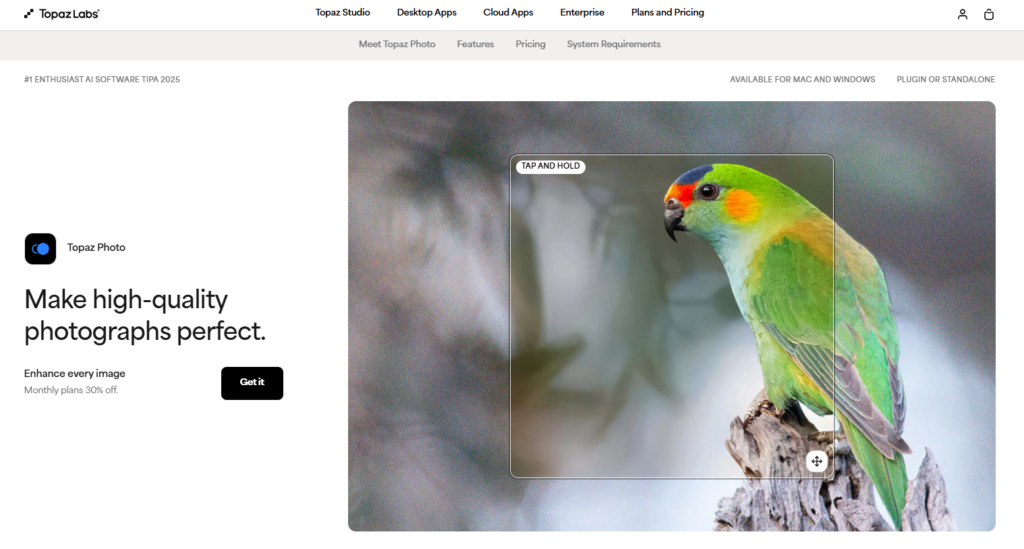
Topaz Labs is a software company that builds AI-powered tools specifically for photographers. They’re not trying to be the next Photoshop. What they focus on , obsessively , is image quality enhancement. That means making noisy photos clean, blurry photos sharp, and small photos big.
For years, they sold separate apps: Topaz Sharpen AI, DeNoise AI, and Gigapixel AI. Each did one thing really well. Then they combined all three into a single product now called Topaz Photo AI (recently updated and rebranded through Topaz Photo and Topaz Photo Pro depending on your plan).
If you’ve been doing topaz photo editing the old-school way, running three separate apps in sequence, the unified version is a genuine upgrade to your workflow.
What Does Topaz Photo AI Actually Do?
At its core, this topaz editing software does three things:
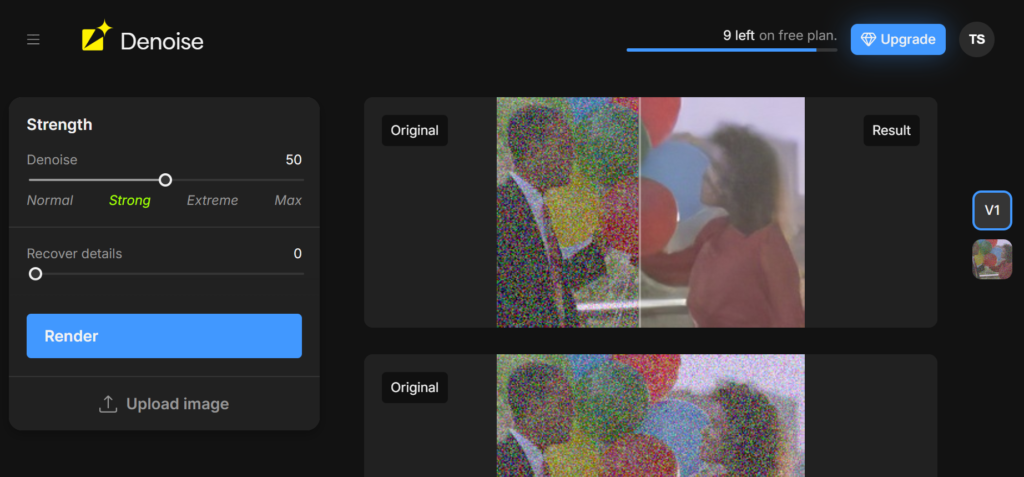
1. Noise Reduction (Denoise) This is where Topaz truly earns its reputation. If you shoot in low light, wildlife at dusk, a wedding reception, night street photography, you know the pain of grainy, noisy images. Topaz’s AI doesn’t just blur the noise away like older methods. It actually distinguishes between real image detail and digital noise, then removes the noise while keeping the texture underneath. The result looks natural, not smeared. Real photographers describe it as a game-changer for high-ISO shots.
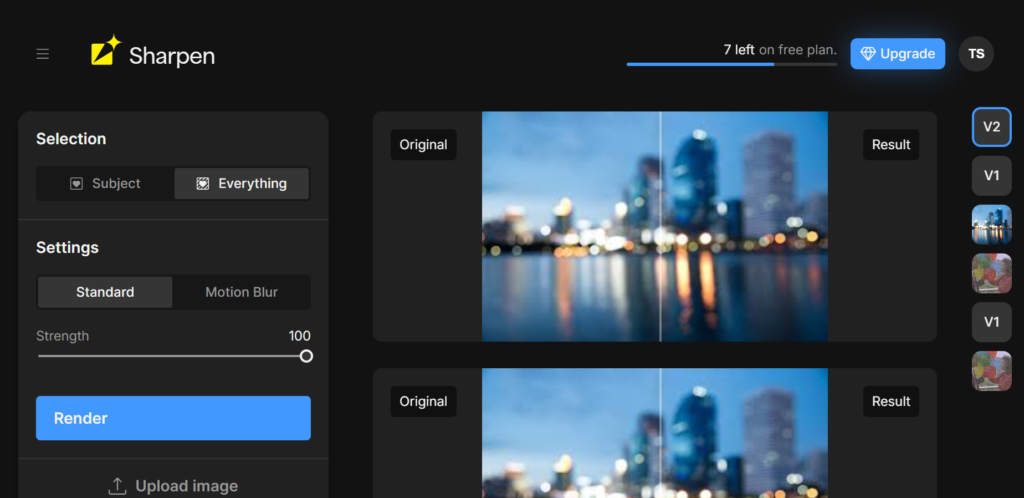
2. Sharpening The topaz sharpen AI capability inside Photo AI is built to fix blur caused by camera shake, soft focus, or fast-moving subjects. It doesn’t just crank up edge contrast , it tries to recover actual detail that got lost. For portraits where the face is slightly out of focus, this tool can salvage shots you’d otherwise delete.
3. Upscaling Need to print a photo large but only have a small file? The upscaling tool , formerly Gigapixel AI , adds genuine detail when increasing image size. It looks at millions of similar images it was trained on and intelligently fills in missing pixels rather than just stretching what’s already there. Users regularly print full-size photos from what were originally low-resolution files.
Beyond the big three, Topaz Photo AI also includes:
- Face Recovery finds faces in your photos and sharpens them separately, which is excellent for group shots where faces are small or slightly blurry
- Autopilot scans your image on import and automatically decides which tools to apply and at what strength
- Batch Processing, run the same enhancements on dozens or hundreds of photos at once
Who Uses Topaz Labs?
Based on the community feedback across photography forums and verified topaz labs reviews from real users, the software has a strong following among:
- Wildlife and sports photographers who shoot fast-moving subjects at high ISO
- Portrait photographers who want to recover slightly soft faces
- Wedding photographers processing large batches from dimly lit venues
- Astro photographers dealing with extreme noise in long-exposure shots
- Hobbyists restoring old family photos
- AI art creators who need to upscale generated images to printable resolution
What you’ll notice is that most of these people share one thing: they’re working with challenging images. Topaz Photo AI doesn’t help you much if you already shot in perfect conditions with a great lens , you won’t see a dramatic difference. But when conditions weren’t ideal, it can be the difference between a usable photo and one that ends up in the trash.
The User Interface, Easy Enough for Beginners
One thing even critics of the software agree on: the Topaz Editor is straightforward to use. You open it, drag in your photos, and Autopilot gets to work analyzing each one. You see a before/after preview on screen, and you can adjust sliders or turn individual tools on and off.
The interface is clean and uncluttered. There’s a left sidebar for tool selection, a right panel for settings, and a bottom bar showing all the images in your current batch. You can split the preview to compare the original vs. the edited in real time. For a tool with this much AI horsepower running underneath, it doesn’t feel overwhelming.
It also works as a plugin inside Photoshop, Lightroom, and Capture One, so if you already have a topaz photo editing workflow built around those tools, you don’t have to abandon it. You just send photos to Topaz from within your existing software.
The Pros , What Topaz Labs Gets Right
Noise reduction is genuinely best-in-class. This is the headline feature, and it delivers. Repeatedly. Users who’ve switched from Lightroom’s noise reduction, which is solid in its own right, describe the results as noticeably better, especially above ISO 3200. Multiple long-time users say they no longer touch Lightroom for noise at all.
It can save otherwise ruined shots. One-in-a-lifetime moments don’t always happen in perfect lighting. A portrait from a dark restaurant, a bird in flight caught at ISO 6400, a child running in dim gym lighting, these are the scenarios where Topaz Labs AI earns its price. Users recovering sentimental old family photos describe results that feel remarkable.
Autopilot is a real time-saver for batch work. If you come home from a shoot with 500 raw files, you don’t want to manually tweak settings on each one. Autopilot does a decent job of analyzing and processing images consistently. Professional photographers who work events rely on this heavily.
Face Recovery is surprisingly good. The feature that identifies and sharpens faces separately works better than many users expect, particularly for small faces in group shots or portraits taken slightly out of focus. It identifies facial features and applies targeted sharpening.
Keeps getting better. Topaz releases regular updates, and longtime users note that the quality of processing genuinely improves with each one. The AI models are continually trained on new data.
The Cons , Where It Falls Short
Processing speed is the most common complaint. This is a recurring theme in nearly every Topaz Labs review from real users. The software is computationally heavy. On older machines, rendering a single image can take minutes. Batch processing a full wedding shoot can take hours. You’ll want a modern computer, ideally with a dedicated GPU, to get reasonable performance. Even on powerful machines, some users find it slower than expected.
The price has gone up significantly. Topaz used to offer a one-time perpetual license, which felt like a reasonable investment. They’ve now moved to a subscription model: roughly $199/year for the standalone Topaz Photo app, or $399/year for the full Topaz Studio bundle covering all their products. For professional photographers who use it daily, this is easy to justify. For casual hobbyists who only need it a few times a month, it’s a tough sell.
Face Recovery can over-process. While the face sharpening tool is impressive, it sometimes makes faces look overly sharp or slightly artificial, particularly in certain lighting conditions. The effect can look a little “plastic” on high-quality portrait shots. Most users manage this by reducing the strength slider, but it requires some dialing in.
It’s not a full photo editor. If you’re expecting a Photoshop replacement, you’ll be disappointed. Topaz photo ai review discussions often point this out: the topaz edit tools are limited to enhancement and quality improvement. There are no layers, no masking (in the traditional sense), no retouching tools, no compositing. It does one narrow set of things, and it does them very well , but it doesn’t replace your main editing software.
Older machines can struggle. A few users have noted that system updates or increases in minimum hardware requirements have started to phase out perfectly reasonable computers purchased just a couple of years ago. If you’re on older hardware, check the system requirements carefully before buying.
Is Topaz Labs Worth It?
Here is the honest answer: it depends on how you shoot.
If you regularly deal with high-ISO noise, motion blur, or low-resolution files that need upscaling, Topaz Photo AI is about as good as it gets right now. The results are consistently impressive, and no comparable software currently matches it for pure AI photo enhancement quality. For professional photographers working in demanding conditions , sports, wildlife, events, astro , the subscription price is easy to justify because it pays for itself in rescued shots.
If you mostly shoot in controlled conditions with decent gear and good lighting, you probably won’t use it enough to make the annual subscription feel worthwhile. In that case, you might get 80% of the value from the noise reduction tools already built into Lightroom.
And if you’re a hobbyist restoring old photos or upscaling AI-generated images for print, the results can feel almost magical , but you’ll want to weigh that against the subscription cost vs. how often you actually need it.
Bottom line on is topaz labs worth it: For serious photographers, yes. For casual users, try the free trial first and be honest with yourself about how often you’d reach for it.
Topaz Photo AI Pricing (What You’ll Actually Pay)
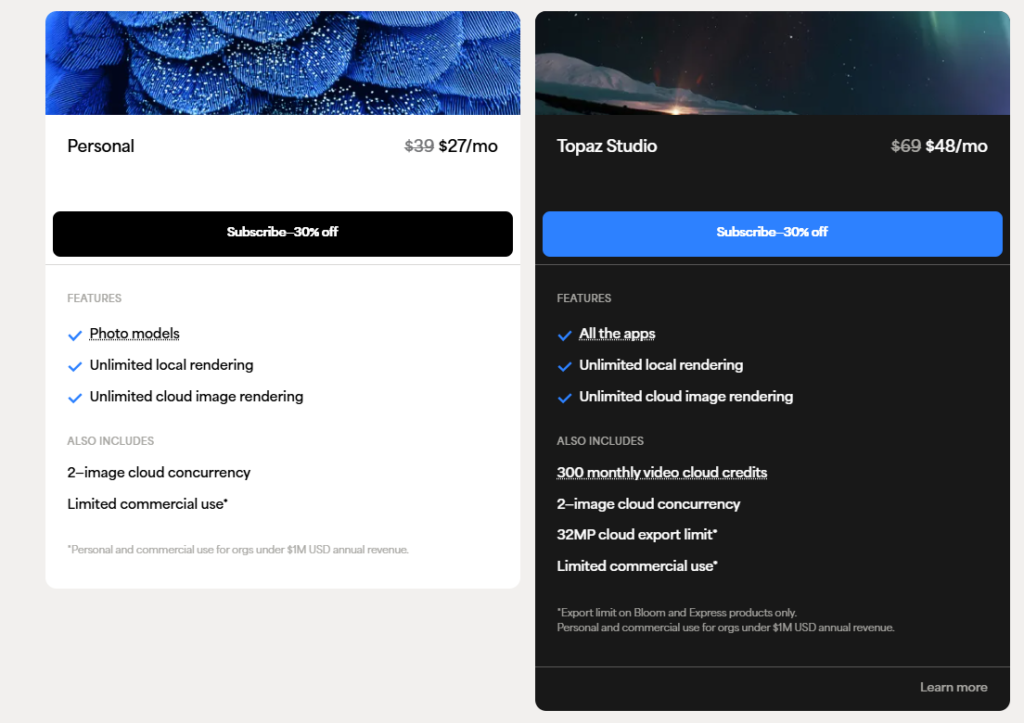
- Topaz Photo (Personal) , around $17/month billed annually (~$199/year)
- Topaz Photo Pro , around $50–58/month, includes full local AI model access
- Topaz Studio bundle , roughly $399/year, covers all Topaz apps including Video AI and Gigapixel
There a is free trial available , you can test it on your actual photos before committing, which is the smart move.
What Real Users Are Saying
Across thousands of verified customer reviews, the pattern is clear. Wildlife photographers who shoot in dark forests call the DeNoise tool indispensable. Retired professional photographers describe using it to deliver better results for veterans’ portrait projects than they ever could before. Sports photographers who shoot night games say they couldn’t do without it.
On the other side, complaints consistently cluster around three things: slow processing times, the shift to subscription pricing, and occasional over-processing on faces. One user with an M3 Pro Mac noted frustration that the app wasn’t fully optimized for Apple Silicon ARM chips, leaving significant performance on the table.
The customer support team gets consistently positive mentions , responsive, helpful, and willing to work through issues , which matters when you’re dealing with software this technically demanding.
How It Compares to Alternatives
If you’re weighing topaz labs against other options, here is the short version:
Lightroom has solid AI noise reduction built in and is free if you’re already subscribed to Adobe’s photography plan , but for high-ISO images, Topaz consistently outperforms it. Many photographers use both: Lightroom for everything else, Topaz for the photos that really need it.
Luminar Neo offers more creative AI tools , sky replacement, portrait retouching, lighting adjustments , but its noise reduction and sharpening don’t match Topaz’s quality.
DxO PhotoLab is another strong contender for noise reduction, with some users preferring it at very high ISOs. Worth comparing if noise reduction is your primary need.
Final Verdict
Topaz Labs has built something genuinely impressive. The topaz photo ai review community agrees almost universally that the core technology , noise reduction, sharpening, upscaling , is best-in-class. It has a clean interface, works as a plugin inside your existing tools, and gets better with every update.
The friction points are real, too: it is expensive for casual use, it can be slow on older hardware, and it won’t replace your main photo editor. Faces occasionally get over-processed.
But for photographers who push their gear in tough conditions , and who know the gut-punch of opening a once-in-a-lifetime shot only to find it is too noisy or too soft , Topaz Photo AI is the best rescue tool on the market right now. That is a small thing.
Use the free trial. Put your most challenging photos through it. The results will tell you everything you need to know.

