
If you’ve ever wished you had a personal assistant to help with all your tasks, Notion AI might just be the tool you’re looking for. Whether you’re managing projects, writing content, or simply staying organized, Notion AI can help streamline your workflow. Let’s dive into everything this tool offers and whether it’s a good fit for you!
What is Notion AI?
Notion AI is an intelligent assistant within Notion’s workspace that helps with writing, organizing, brainstorming, and managing tasks. It eliminates the need for multiple tools by streamlining content creation, meeting notes, and project tracking, all within Notion. Perfect for boosting productivity and saving time.
2. How to Use Notion AI?
Getting started with Notion AI is easy, and you don’t need to be a tech expert to use it. Here’s how you can start using it:
Step 1: Open Notion
Make sure you have Notion installed or go to the Notion website to use it in your browser. Sign up or log in to your account.
Step 2: Activate Notion AI
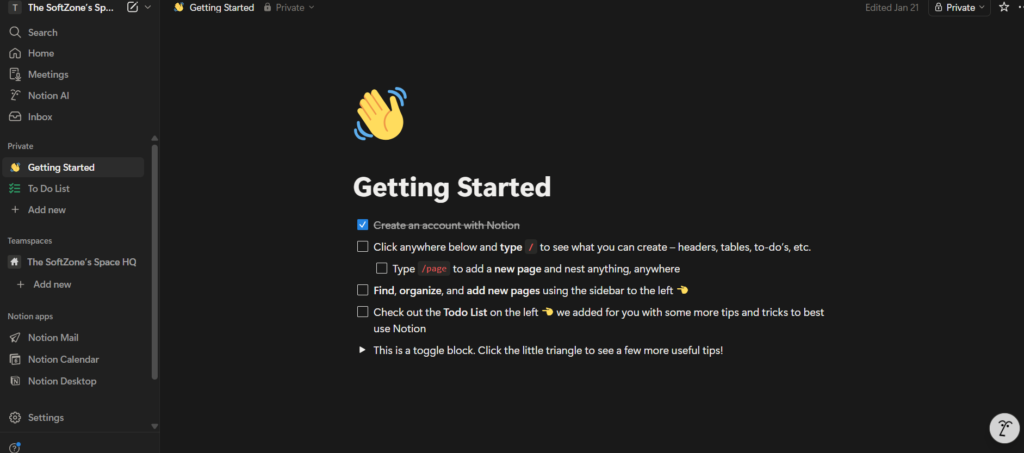
If you’re on a plan that includes Notion AI, you can activate it directly from your workspace, whether using the app or web version. It will appear as an option within your pages, and all you need to do is start typing a prompt.
Step 3: Give It a Task
Once activated, type a natural language prompt to get started. For example, you can request Notion AI to:
- “Create a project tracker for my marketing campaign.”
- “Summarize this meeting’s notes into key action items.”
- “Write a draft of a blog post about team collaboration.”
Step 4: Review and Edit
After Notion AI completes the task, review the output. If you’re satisfied, great! If not, tweak the results or ask for a revision. Notion AI is flexible, so you can refine the content to fit your needs.
Step 5: Keep It Integrated
Since Notion AI works within your Notion workspace (whether in the app or web), any task it handles is automatically linked to your other pages and databases, saving you time and keeping everything organized.
Key Features of Notion AI
Notion AI comes with some really handy features that help you save time and stay organized. Here’s a breakdown of the main ones:
1. Content Creation
Notion AI can help you draft blog posts, emails, social media updates, and more. If you’re stuck with writer’s block, just ask Notion AI to generate a first draft. It’s a great tool for overcoming that pesky blank page!
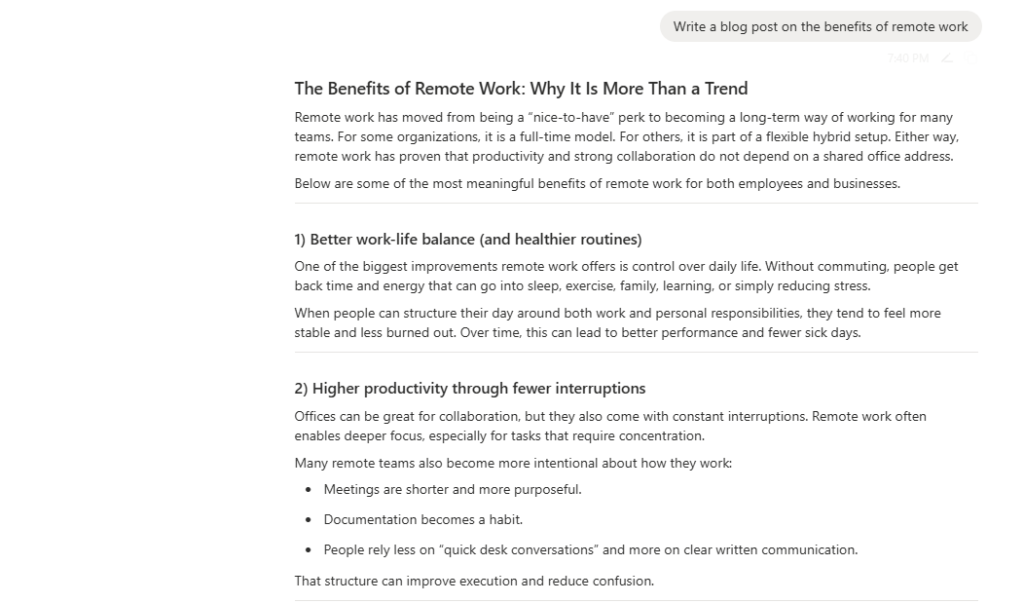
Example: You can ask it, “Write a blog post on the benefits of remote work,” and it will draft a post you can fine-tune.
2. Summarizing
Whether you have a long document, meeting notes, or a research paper, Notion AI can condense it into key points. This feature saves you tons of time when you need a quick overview of something lengthy.
Example: Paste a meeting transcript and ask, “Summarize this into action items,” and Notion AI will pull out the most important details.
3. Task Management and Automation
Notion AI can help you organize tasks, track projects, and even turn meeting notes into actionable items. It automatically fills in databases, sets due dates, and assigns tasks, making project management more efficient.
Example: If you’re working on a project, just tell Notion AI, “Create a project tracker with deadlines,” and it will set everything up.
4. Q&A and Information Retrieval
You can ask Notion AI to search through your Notion workspace and find specific information. Whether it’s a project update or a wiki page, it helps you quickly pull out details you need without scrolling through endless pages.
Example: Ask, “What’s the status of the marketing project?” and Notion AI will retrieve the latest information.
5. Easy Integration with Your Workspace
Notion AI integrates seamlessly with the existing features of Notion. So, whether you’re using databases, pages, or wikis, Notion AI understands and works with the data you already have in your system.
Pricing
Here’s how the pricing for Notion AI breaks down based on your plan:
| Plan Name | Price (per user/month) | Key Features | Best For |
| Free Plan | $0 | Basic access to Notion features; limited AI trial | Individuals just starting out |
| Plus Plan | $10 | Unlimited blocks, AI for content creation, task management | Small teams or individuals |
| Business Plan | $20 | Includes advanced features like enterprise search and SSO | Larger teams needing extra features |
| Enterprise Plan | Custom pricing | Customizable with added security, support, and more | Big companies with complex needs |
The price varies depending on your needs and team size, so pick the plan that suits your workflow.
Pros and Cons of Notion AI
Pros:
- Seamless Integration: Notion AI works directly inside Notion, so you don’t have to switch between apps.
- Saves Time: Automates writing, summarizing, and project management tasks, letting you focus on more important work.
- User-Friendly: It’s easy to use, with no steep learning curve, even if you’re not tech-savvy.
- Highly Customizable: You can guide Notion AI to fit your specific needs and tweak its output to match your tone and style.
- Context-Aware: It pulls in data from your Notion workspace, making its outputs more relevant and tailored to your workflow.
Cons:
- Cost: The additional cost may not be worth it for solo users or small teams who don’t need advanced features.
- Limited Integrations: Notion AI works best inside Notion. If you’re looking to automate workflows across other apps, you might need more specialized tools.
- Not for Highly Specialized Tasks: While it’s great for general writing and management, it may not be ideal for complex customer service or technical tasks.
Alternatives to Notion AI
If Notion AI doesn’t fully meet your needs, here are a few alternatives you might want to consider:
1. ChatGPT
ChatGPT is a general-purpose AI tool that can help with writing, creative tasks, and answering questions. While it’s not integrated into your workspace like Notion AI, it can be a good option for standalone content creation.
Best for: Content generation and brainstorming
2. Evernote with AI
Evernote’s AI can help summarize notes, organize projects, and provide writing assistance. It’s great for those who prefer a different platform than Notion.
Best for: Note-taking and organization
3. Trello with Butler AI
Trello offers Butler AI to help automate workflows. If you’re already using Trello for project management, Butler AI can handle repetitive tasks and streamline your work.
Best for: Task management and automation
4. Grammarly
If you’re looking for a tool that focuses primarily on writing, Grammarly can help with grammar, tone, and style. It’s not as integrated as Notion AI but does an excellent job at enhancing content.
Best for: Writing improvement and editing
Final Words
Notion AI is a powerful productivity tool for Notion users, streamlining workflows and simplifying tasks. While it may not be ideal for teams using multiple apps, its seamless integration within Notion makes it a game-changer for managing projects and content creation. If you’re already using Notion, it’s definitely worth trying to boost your productivity.

