
For a long time, Otter.ai was the undisputed king of transcription. When the pandemic hit, it was the tool everyone reached for to make sense of endless Zoom calls. But in 2026, the landscape has changed. Transcription isn’t a “special feature” anymore; it’s everywhere.
As someone who works for tl;dv, I live and breathe AI meeting assistants. I test these tools every week, and while I’ll be the first to admit my bias, I spent the last few months “toying” with Otter’s free plan to see if it still holds up. Here’s my honest take on whether Otter is still a must-have or just a “legacy” tool clinging to its past glory
What is Otter AI?
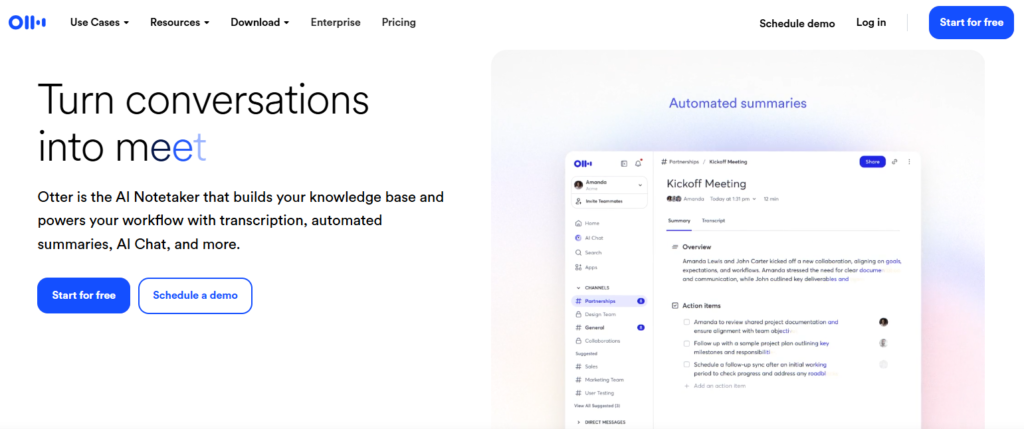
At its simplest, Otter is an app that listens to people talk and types out everything they say. Think of it as a professional court reporter that lives inside your laptop or phone.
It’s made for anyone who is “meeting-heavy”, students recording a long lecture, journalists interviewing a source, or office workers who are tired of being the designated note-taker. Instead of you scribbling on a legal pad, Otter does the heavy lifting so you can actually participate in the conversation.
How to Use Otter AI?
The best part about Otter is that you don’t need to be a tech genius to get it working. It’s pretty much “set it and forget it.”
- Invite the OtterPilot: You can link Otter to your calendar. When a Zoom or Google Meet starts, a little “OtterPilot” bot will pop into the call. It looks like just another participant, but it’s actually just there to listen and type.
- The Mobile App: If you’re meeting someone at a cafe, just pull out your phone, open the Otter app, and hit the big mic button. It’s great for capturing those “lightbulb moments” during a walk.
- Check the Live Feed: As people talk, you’ll see the words appearing on your screen in real-time. If someone says something super important, you can highlight it right then and there.
- Get the “Cheat Sheet”: Once the meeting is over, Otter sends you a summary. It’s like a “TL;DR” (Too Long; Didn’t Read) for your meeting, listing exactly who needs to do what by when.
Key Features of Otter AI
Here are the features that I think make Otter actually worth the download:
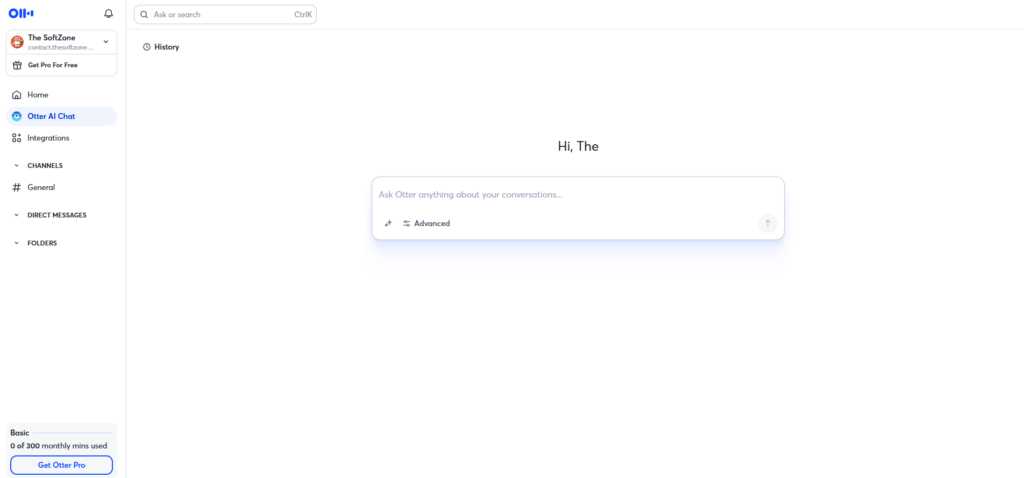
- Otter AI Chat: This is a game changer. After a long meeting, you can ask the app, “What was the final decision on the marketing budget?” and it will answer you based on the transcript. It’s like searching through your own memory with a search bar.
- Speaker Identification: It doesn’t just give you a wall of text. It figures out that “Speaker 1” is Dave and “Speaker 2” is Susan, so the transcript looks like a movie script.
- Automatic Slide Capture: If you’re in a Zoom and someone shares a PowerPoint, Otter snaps a photo of the slide and drops it right into the notes next to the text. No more “Wait, can you go back to the previous slide?”
- Keyword Clouds: It shows you the words that were used most often. If you see “Deadline” and “Urgent” in big letters, you know you’ve got work to do!
Pricing
Otter is pretty fair with their pricing, but the free version has some limits you should know about.
| Plan | Price | Key Features | Who is it for? |
| Basic | Free | 300 mins/mo (30 mins per call) | Students or the occasional meeting. |
| Pro | ~$8.33/mo | 1,200 mins/mo, better search | Freelancers and solo workers. |
| Business | ~$20/mo | 6,000 mins/mo, team tools | Small companies and busy teams. |
Pros and Cons
I’m going to be straight with you, it’s not 100% perfect.
The Pros:
- It’s insanely fast. You don’t have to wait hours for a transcript; it’s practically instant.
- It saves your mental energy. You can actually look people in the eye instead of looking at your keyboard.
- The search function is amazing. You can find a specific word you said six months ago in seconds.
The Cons:
- Background Noise: If you’re in a loud coffee shop, Otter might get confused and give you some “word salad.”
- Privacy: Some people (and some companies) get a little nervous about a bot recording their every word. Always ask for permission first!
- Accents: It has improved significantly, but it can still struggle with very thick accents or technical jargon.
Alternatives to Otter AI
Not feeling the Otter vibe? Here are a few other options:
- Fireflies.ai: This is very similar but focuses a bit more on “analyzing” the meeting (like how much time you spent talking).
- Fathom: If you only use Zoom, Fathom is a great free alternative that is super easy to use.
- Scribe: A bit better if you need to turn a meeting into a step-by-step “how-to” guide.
Final Words
If you feel like you’re drowning in meetings and losing track of what you’re supposed to be doing, Otter AI is a lifesaver. It’s not just about the notes; it’s about being able to actually listen again. Start with the free version to see how your team reacts to the bot joining. If you’re anything like me, you’ll wonder how you ever sat through a 60-minute meeting without it.

