
Read a detailed review blog about Plaud AI Note Taking gadgets below:
What is Plaud AI?
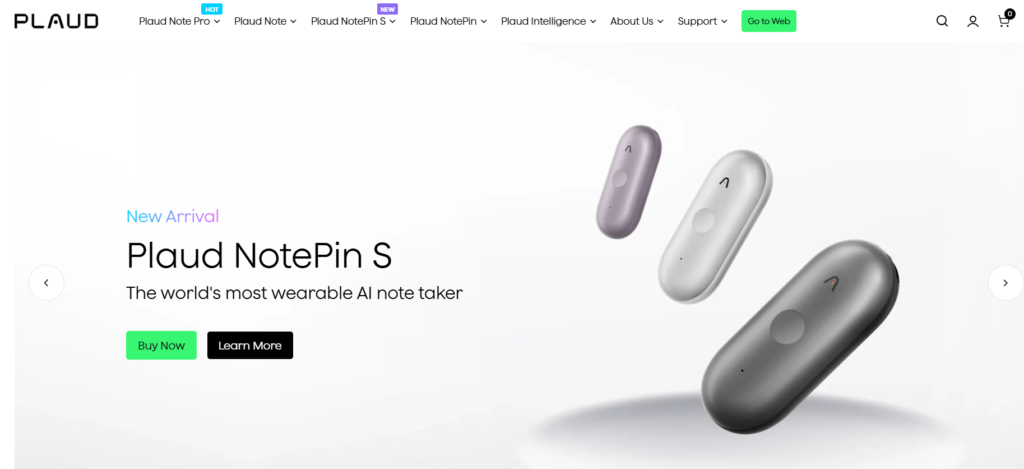
You’ve probably seen the ads for the Plaud Note popping up on your social media feeds. It’s a credit-card-sized device that snaps onto the back of your phone and promises to record everything.
But what actually is it?
Think of Plaud AI as a “smart” voice recorder for the modern age. It solves a very specific, annoying problem: recording phone calls on an iPhone. Because of strict privacy rules, most apps can’t record regular phone calls. Plaud gets around this by using a physical sensor that “listens” to the vibrations of your phone.
It’s built for people who live on calls, journalists, real estate agents, sales reps, or anyone who is tired of scribbling notes while trying to drive or walk. You record the audio on the device, and then the app uses AI (ChatGPT 4) to transcribe and summarize it for you.
How to Use Plaud AI?
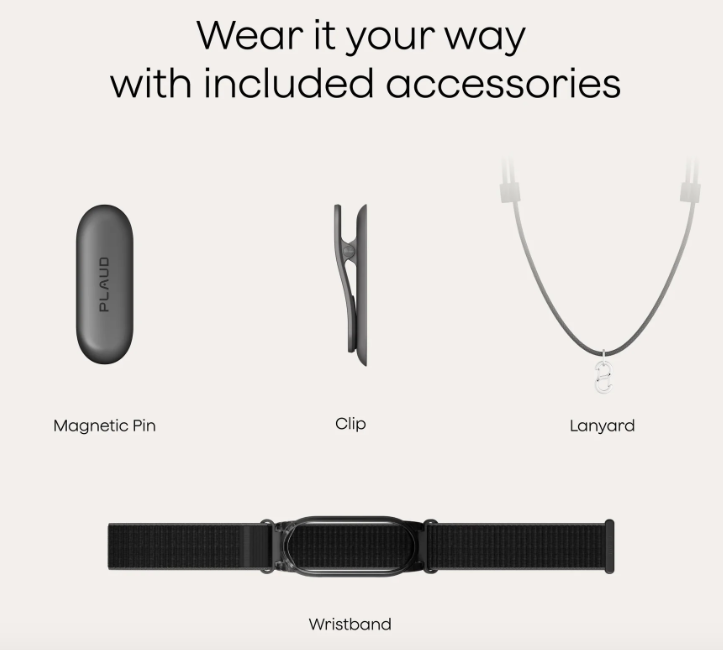
I’m usually lazy with gadgets; if it takes too many steps, I won’t use it. But Plaud is refreshingly simple. Here is how it works in real life:
- Step 1: Snap it on. The device has a MagSafe magnet, so it sticks right to the back of your iPhone (or Android with a magnetic ring). It’s super thin, so you barely notice it’s there.
- Step 2: Flip the switch. There is a tiny toggle switch on the device. Push it up for “Phone Call Mode” (records vibrations) or down for “Note Mode” (regular voice recording).
- Step 3: Press Record. When a call comes in, you just hold the button for one second. It buzzes, a red light comes on, and you are rolling. No need to unlock your phone or open an app.
- Step 4: Sync later. When you have a moment, open the Plaud app. The device sends the audio to your phone via Bluetooth, and then you hit “Transcribe” to get your notes.
Key Features of Plaud AI
After carrying this thing around in my pocket for a few weeks, here are the features that actually matter:
- Vibration Conduction Sensor (VCS): This is the “secret sauce.” It captures the audio from inside the phone effectively. The quality is solid,you can clearly hear both sides of the conversation.
- Dual-Engine AI: It uses OpenAI’s Whisper for transcription (which is very accurate) and GPT-4o for summarization. The summaries aren’t just blocks of text; you can choose templates like “Interview,” “Class Lecture,” or “Sales Call” to organize the notes.
- The Battery Life: It claims 30 hours of continuous recording, and that feels accurate. I used it for a week of heavy recording and didn’t have to charge it once.
- Privacy First: Unlike bots that join your Zoom calls, Plaud records locally on the hardware. It feels a bit more private since you aren’t broadcasting your data to the cloud until you choose to sync it.
Pricing
This is where you need to pay attention. You have to buy the device and consider a subscription if you are a heavy user.
| Plan Name | Price | Key Features | Best For |
| Hardware Only | ~$159 (One-time) | The Plaud Note device, magnetic case, and charging cable. | Everyone (Required) |
| Starter | Free (Included) | 300 minutes/month transcription. Basic summaries. | Casual users & Students |
| Pro | ~$99 /year | 1,200 minutes/month. “Ask AI” feature. More templates. | Journalists & Consultants |
| Unlimited | ~$239 /year | Unlimited transcription minutes. Priority support. | Power users recording daily |
Note: The device works as a regular voice recorder forever without a subscription. You only pay if you need the AI transcription for more than 5 hours (300 mins) a month.
Pros and Cons of Plaud AI
I want to be real with you, while the hardware is slick, the software has some quirks.
The Pros
- It actually records phone calls: This is the #1 reason to buy it. There is simply no app that does this as easily on an iPhone.
- Hardware Quality: It feels premium. It’s light, and the magnet is strong,it won’t fall off your phone in your pocket.
- One-Touch Recording: Being able to record without looking at your screen is a huge plus during face-to-face meetings.
The Cons
- The “Sync” Lag: You can’t see the transcript live while you are recording. You have to wait until you finish, sync the device (which takes a minute), and then process it.
- Subscription Fatigue: You just paid $159 for the device, and now you have to pay a monthly fee if you record more than 5 hours a month? That stings a bit.
- No Video: It’s audio only. If someone shares a screen during a meeting, Plaud won’t capture it.
Alternatives to Plaud AI
If you aren’t sold on carrying an extra gadget, here are 3 solid alternatives:
- Otter AI : The classic choice. It’s purely an app (no hardware). It’s great for in-person recording, but it cannot record phone calls natively on an iPhone efficiently.
- tl;dv: If most of your meetings are online (Zoom/Teams), use this. It records video and audio for free. Plaud is for the physical world; tl;dv is for the virtual world.
- TapeACall: If you only need to record phone calls and don’t care about AI summaries, this is a cheaper, app-only alternative. It works by dialing a conference line, which is clunkier than Plaud but cheaper.
Final Words
So, is Plaud AI worth it?
If you are someone who lives on phone calls, sales reps, journalists, or consultants, the Plaud Note is an absolute lifesaver. There is simply no other tool that captures phone call audio this clearly and easily on an iPhone.
However, if 90% of your meetings happen on Zoom or Google Meet, you probably don’t need to spend $159 on hardware. You’d be better off with a free software tool like tl;dv or Otter.
My advice? Buy it if you need the phone recording feature. It’s a niche gadget, but for that specific problem, it’s the best there is.

