
If you have ever tried to make a video from scratch, you know the struggle. You have to write a script, find the right pictures, record your voice, and then spend hours editing everything together. It is exhausting.
But what if you could just type a sentence, click a button, and have a robot do all that work for you?
That is exactly what Invideo AI promises to do. It is an Ai Video Generator that claims to turn your simple text ideas into full videos with stock footage, voiceovers, and subtitles in minutes.
But is it actually good? Or is it just another over-hyped Ai Tool?
In this Invideo AI Review, we are going to look at the good, the bad, and the price tag to see if this tool deserves a spot in your creative toolbox.
What Is Invideo AI?
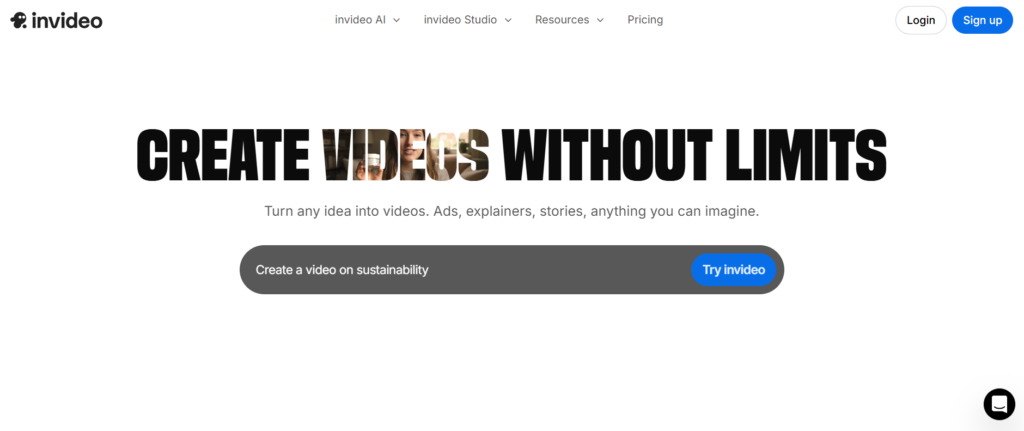
Think of Invideo AI as a smart assistant that lives in your computer. Its main job is to make videos for you so you don’t have to.
You give it a topic, like “Top 5 Facts About Space”, and it gets to work. It writes the script, finds cool video clips from the internet, adds background music, and even talks for you using a realistic computer voice.
It is built for people who want to make content for YouTube, TikTok, or Instagram but don’t know how to use complicated editing software like Adobe Premiere.
Pros
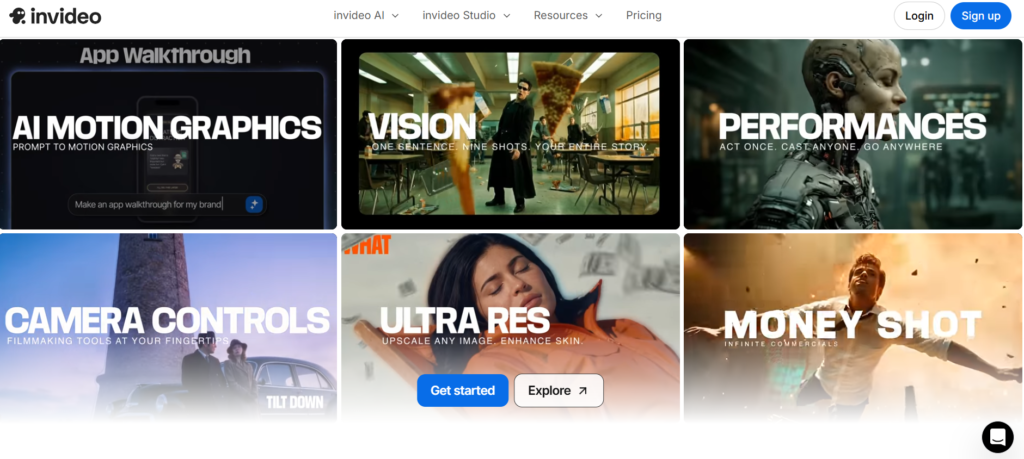
Let’s start with why so many people are talking about this tool.
It Is Super Fast Speed. The biggest win here. A video that usually takes you five hours to make might take Invideo AI five minutes. You type your prompt, wait a moment, and boom, you have a first draft ready to watch.
You Don’t Need to Be an Expert. Most video software looks like the cockpit of an airplane, too many buttons! InVideo is different. It uses a simple text box. If you want to change something, you just type a command like, “Change the music to something happier,” or “Delete the second scene.” It feels like texting a friend who happens to be a video editor.
The Voiceovers Are Surprisingly Human Old computer voices sounded like robots from the 1990s. The voices inside Invideo are scary good. They pause, breathe, and use the right tone. You can even clone your own voice so the video sounds like you made it, without you ever turning on a microphone.
Huge Library of Clips The tool connects to giant libraries of stock footage (like iStock and Shutterstock). This means you get high-quality videos of people, nature, and cities without paying extra for them.
Cons
No review invideo would be honest without talking about the flaws. Here is where the tool might frustrate you.
The “AI Weirdness” Sometimes, the AI gets confused. It might show a picture of a cat when you are talking about a dog. Or, if you use the generative video feature, you might see people with six fingers or boats sailing backward. You still need to watch every second of the video to catch these mistakes.
You Have Less Control If you are a professional editor who likes to adjust every single shadow and sound effect, you might hate this. You are trading control for speed. It is hard to make the video look exactly how you imagined it because the robot is making the choices for you.
The Credit System This is a big complaint in many invideo reviews. The tool uses a “credit” system. Every time you generate a video or ask the AI to fix something, it costs credits. If you make a lot of mistakes or changes, you can run out of credits quickly, which forces you to pay more or wait until next month.
Pricing
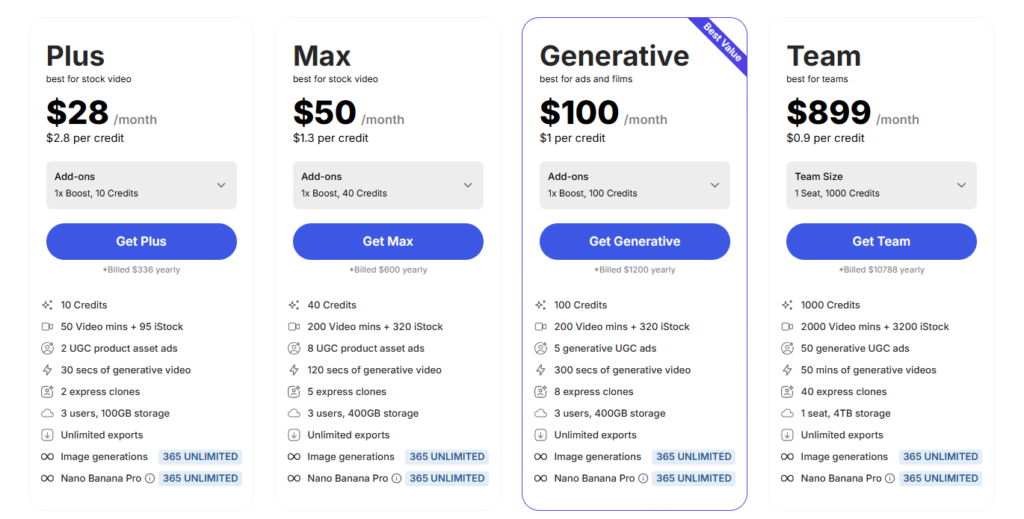
Is Invideo worth it when you look at the price tag? Here is how the pricing usually breaks down:
- Free Plan: You can use the tool for free to test it out. However, your videos will have a watermark (a logo stuck on the video), and you can’t export them in high quality.
- Plus Plan ($20-$25/month): This removes the watermark and gives you a set amount of credits and storage. This is usually enough for a solo creator making a few videos a week.
- Max Plan ($48-$60/month): This is for heavy users. You get way more credits, faster processing, and more access to premium stock footage.
Note: Prices can change, so always check their official site for the latest numbers.
Who Should Use It?
You should use Invideo AI if:
- You are a beginner who has never edited a video before.
- You need to make a lot of videos quickly for social media (quantity over quality).
- You are a writer who wants to turn blog posts into videos.
You should skip it if:
- You want to make a Hollywood-style movie.
- You need total control over every single pixel.
- You have zero budget and hate credit limits.
Final Verdict
So, what is the bottom line of this Invideo AI Review?
Invideo AI is a powerful tool that feels a bit like magic when you first use it. It solves the biggest problem for creators: time. It turns a painful, hours-long process into a quick, fun activity.
However, it is not perfect. It still makes silly mistakes, and the credit system can be annoying if you are a perfectionist who edits a lot.
If you just want to get your message out there and don’t mind a few quirks, it is absolutely worth a try. But if you need cinematic perfection, you might want to stick to traditional human editing.

