
In this blog, I will give an honest review of Pika Ai after using it to its full potential. You will get to know the pros and cons of this AI video generator.
What Is Pika AI?
Imagine a magic camera.
But instead of pointing it at something, you just describe what you want to see.
You type an idea.
A few seconds later, you get a short video that looks like it came straight out of your imagination.
That’s Pika.
It’s an AI video tool you can use in your browser or on Discord. You give it a sentence (called a prompt) or upload a photo, and it turns that into a moving clip. Usually 3–4 seconds long.
It’s perfect if you need quick B-roll, social media clips, or just want to bring an old photo to life. And the best part? You don’t need editing skills. No timelines. No confusing buttons. Just ideas in, video out.
How to Use Pika AI?
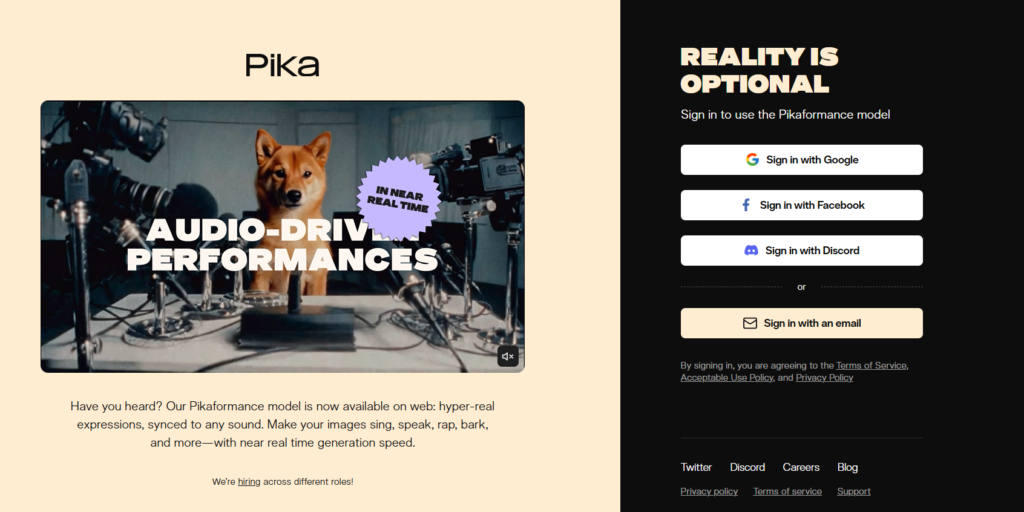
If you can send a text message, you can use Pika. Here’s what your first video looks like from start to finish.
Step 1: Jump in

Head to the Pika website and log in. You’ll see a clean input bar that says something like “Describe your video.”
Step 2: Type your idea
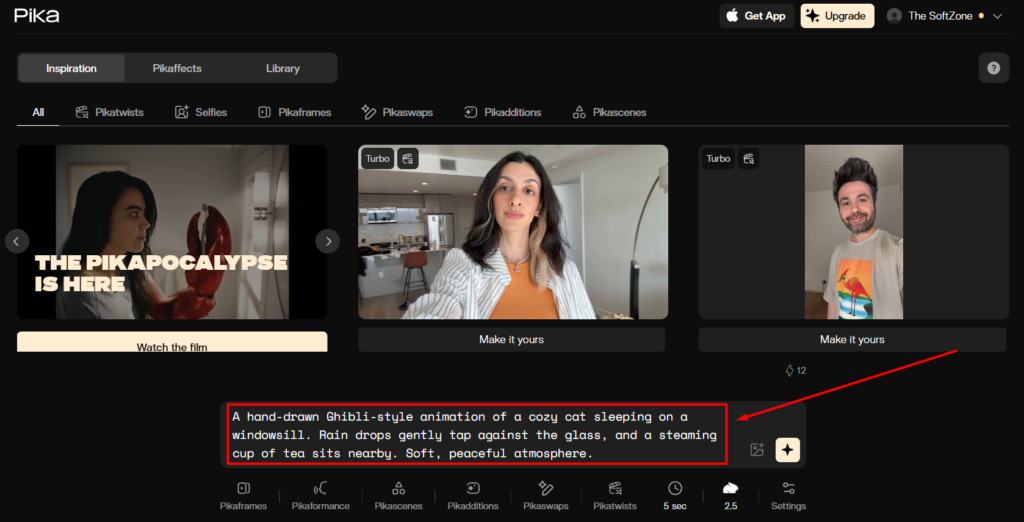
Be specific.
“A car driving” works.
But “a vintage red convertible driving through a rainy Tokyo street at night” works way better.
Think of it like giving directions to a friend. The clearer you are, the better the result.
Step 3: Upload a photo (optional)
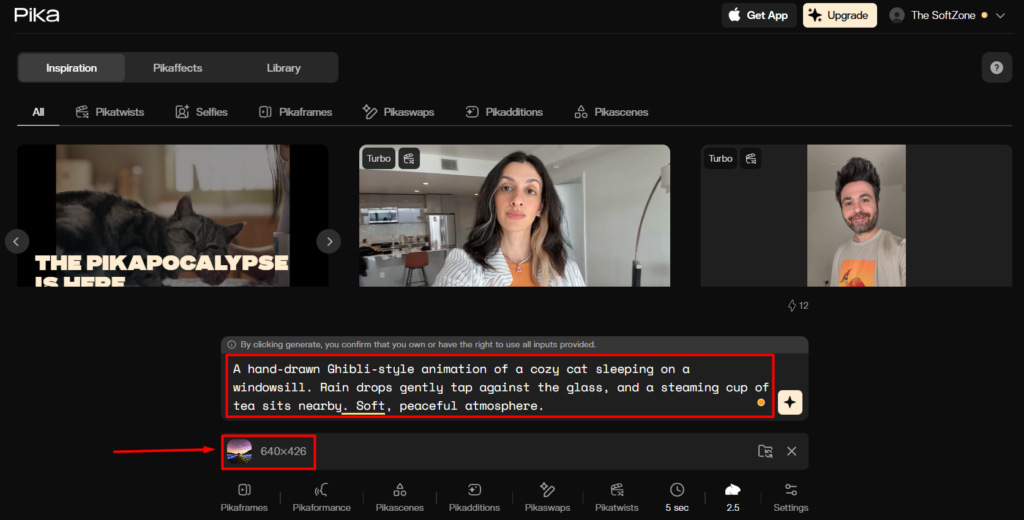
Want to animate yourself, your pet, or an old picture? Upload it. Pika will use that as the starting point.
Step 4: Play with motion
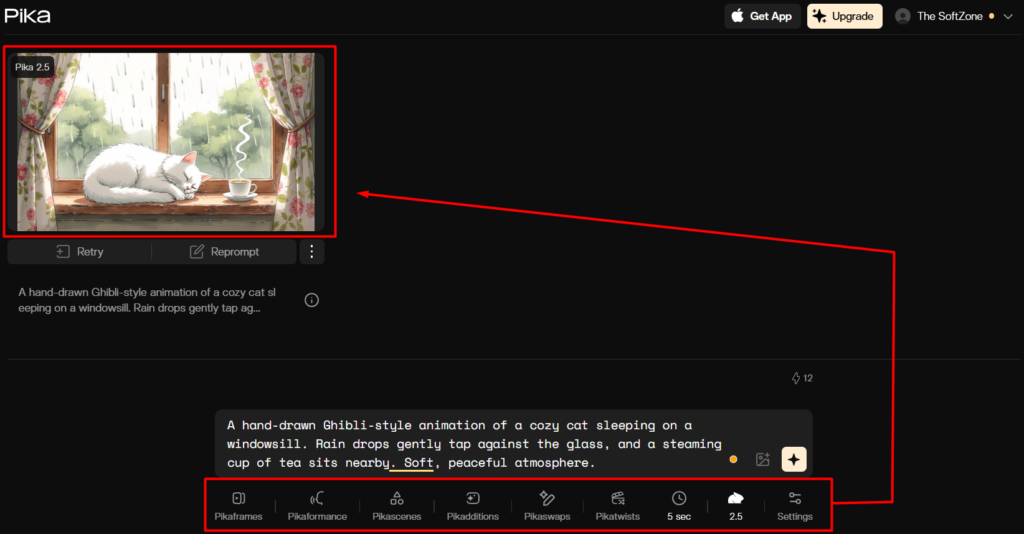
This is where it gets fun. You can tell the camera to zoom in, pan, or tilt. It feels like directing a scene without touching a tripod.
Step 5: Hit generate
Wait a minute or two.
Pika does its thing.
Then your clip pops out, ready to download or share.
Key Features That Make Pika Stand Out
Pika isn’t just another “type text, get video” tool. It has some genuinely fun tricks.
Pika Effects
This is what made it go viral. You can tell Pika to melt, crush, or even turn something into a cake. Yes, really. It’s weird. It’s satisfying. And it works great for short-form content.
Auto Sound Effects (SFX)
No need to hunt for audio. If your video shows a car, you’ll hear an engine. If a bird flaps by, you might hear a chirp. It just… fits.
Lip Sync
Upload a voice clip, and Pika will sync mouth movements to it. Perfect for memes, talking characters, or quick explainers.
Expand Canvas
Got a vertical clip but need horizontal for YouTube? Pika can imagine what’s outside the frame and fill it in. It feels like magic the first time you try it.
Pricing
Pika uses credits.
Think of them like arcade tokens. Each video costs a few tokens.
| Plan | Price | What You Get | Best For |
| Free | $0 | ~30 daily credits | Just exploring |
| Standard | ~$10/mo | 700 credits, no watermark | Regular social posting |
| Pro | ~$35/mo | 2,000+ credits, higher quality | Serious creators |
| Unlimited | ~$80/mo | Unlimited “chill” generations | Agencies & power users |
If you’re just testing things out, the free plan is enough to see if you like it.
Pros and Cons (The Honest Part)
No tool is perfect. Here’s the real talk.
The Pros
- Fast: Idea to video in under two minutes.
- Beginner-friendly: No learning curve.
- Big community: Tons of inspiration from other users.
- Mobile-friendly: Works surprisingly well on your phone.
The Cons
- Occasional glitches: Extra fingers. Weird eyes. It happens.
- Short clips: Most videos are only a few seconds long.
- Stitching required: Longer videos mean combining multiple clips.
Nothing deal-breaking, but good to know going in.
Alternatives Worth Checking Out
If Pika doesn’t quite click, here are some solid video generator options:
- Runway – More polished and professional, but pricier.
- Luma Dream Machine – Known for realistic motion and lighting.
- PixVerse – Similar vibe to Pika and often offers longer clips.
- Sora – The powerhouse everyone talks about, but access is limited.
Final Verdict
Pika AI is just… fun.
It makes you feel creative, even if you’ve never edited a video in your life. You type an idea, watch it move, and suddenly you’re thinking of ten more things to try.
If you want quick, eye-catching videos for social media, or you just want to see your imagination come to life. Pika is absolutely worth trying. At the very least, it’s worth the five minutes it takes to sign up and play around.

